Latest Announcements
Stay updated with important information

A Pinnocent store is your personal storefront inside the Pinnocent marketplace — a place where you list products or services, receive orders, get paid through escrow protection, and manage everything from one seller dashboard. The question isn't whether you get a store — every seller does automatically. The real question is what address that store lives at, and that's where the two options come in.
Both options give you a real, working store. The difference is how independent that store looks and behaves — and how much control you have over it.
Free · Default · Instant
pinnocent.com/storenameEvery seller gets this the moment they set up shop — no setup, no payment, no waiting. It's a full working store page with products, checkout, and order management. • Lives under Pinnocent's own domain, e.g. pinnocent.com/yourstorename • Full access to listing products, orders, and escrow-protected payments • Shares Pinnocent's branding — not your own independent site • No custom SEO title, no independent sitemap, no standalone blog |
Full website · Link My Store
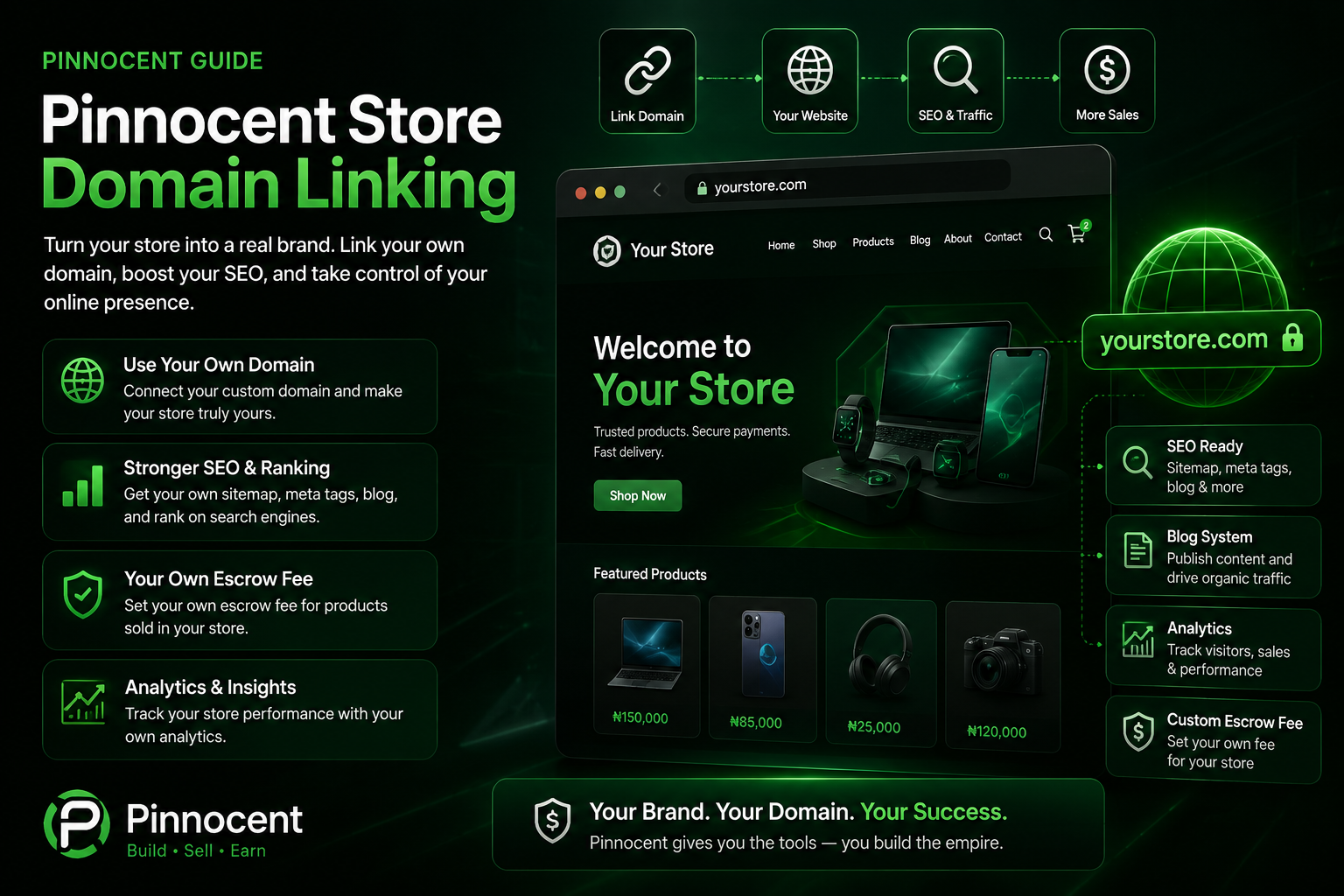
yourstoredomain.comThe upgrade: your store rendered as a genuinely independent website on its own domain, with a full set of website-owner controls the free store URL doesn't have. • Your own domain in the address bar — no pinnocent.com anywhere • Your own SEO title, description, and favicon • Your own About, Privacy Policy, and Terms & Conditions pages • Auto-generated, Google-submittable sitemap.xml |
Running your own website or online store usually means wiring up a payment processor and fighting with search engine verification. On Pinnocent, both are already done for you.
Payment Gateway
Already linked — don't stress yourselfEvery store on Pinnocent — free URL or custom domain — is connected to Pinnocent's own payment gateway from day one. You don't need to register a merchant account or integrate any payment API yourself. Buyers can pay by card, bank transfer, or other supported methods immediately, and every payment is protected by escrow until the order is confirmed. |
Google Search Indexing
Link your domain to Google, hands-offGetting a domain verified on Google Search Console normally means manually adding DNS TXT records. Pinnocent does this for you: paste the verification value into your Sitemap & Search Console panel, and Pinnocent creates the DNS record. Combined with your auto-generated sitemap.xml — pinged straight to Google and Bing — your domain can start appearing in search without you ever opening a DNS dashboard. |
Linking a domain — free subdomain or custom — unlocks a real settings panel most sellers never see on the free store URL:
🌐 Enable / Disable — turn your linked domain on or off any time without losing your setup or data.
🧩 Show/Hide Sections — independently toggle your blog, marketplace, games, and menu.
🔍 SEO Fields — set your own SEO title, meta description, and favicon.
📄 About / Privacy / Terms — write and publish your own legal and about-us content.
🗺️ Auto Sitemap — a sitemap.xml is generated automatically and kept fresh.
📝 Your Own Blog — publish blog posts independently on your linked domain.
Here's a detail a lot of sellers miss: your Marketplace tab doesn't only show what you personally listed. By default, it shows every product on Pinnocent — meaning your store has real inventory from day one, even before you list a single item.
🛒 Full Marketplace, By Default — every active product across Pinnocent can appear on your store domain automatically, other sellers' products included.
🎛️ You Stay in Control — switch to "my products only" any time, filter by category or keyword, block specific sellers, or pin your own priority products.
💸 Earn Even When It's Not Your Product — when a buyer bonded to your store purchases any product on your domain, even one listed by someone else, you still earn your cut.
Whether you're running the free pinnocent.com/storename URL or a fully linked domain, your Analytics page tracks the real numbers behind your store:
🛡️ Escrow Status — whether your own extra escrow fee is on or off, and your bonded-commission eligibility.
📦 Inventory Value — your active product count and total listed value.
💳 Shipment, Bank & Template Earnings — a full breakdown by pending, completed, and refunded.
🔗 Bonded Users — how many buyers are bonded to your store, by premium and founder tier.
💰 Transaction Log — a running log of every transaction, buyer, fees, and what you earned.
📈 Real-Time Numbers — every figure reflects live data, the same source used for actual payouts.
Beyond selling products, Pinnocent gives store and group owners two additional, opt-in ways to earn — both available whether you're on a free URL or a linked domain.
Your Own Escrow Fee
Add a fee on top of Pinnocent's platform feeYou can switch on an additional fee of your own, up to a maximum set by Pinnocent — fully optional, toggle on or off any time. Only ever charged to buyers bonded to your store — unbonded shoppers pay Pinnocent's normal fee only. |
Bonded-User Commission
Earn a cut of the platform fee, automaticallyWhen a bonded buyer purchases, you automatically earn a percentage of Pinnocent's platform escrow fee, on top of anything you earn as a seller. This applies to any product the bonded buyer purchases through your domain — including products listed by other sellers. |
Do The Math
Illustrative numbers only — not your live rates. Your actual fees, percentages, and caps are set on your dashboard and can differ.
Say a bonded buyer purchases a ₦10,000 product through your store domain — and that product happens to be listed by another seller, not you. Your own escrow fee is switched on at ₦300, and your bonded-commission rate on the platform fee is 50%.
| Who | Gets paid | Why |
|---|---|---|
| The seller (not you, in this example) | ₦10,000 | Full product price — always paid in full to whoever listed it |
| Pinnocent | Half of the ₦200 platform fee = ₦100 | Platform's share of its own escrow fee |
| You (bonded-commission cut) | Other half = ₦100 | Your 50% bonded-commission rate on the platform fee |
| You (your own escrow fee) | ₦300 | 100% yours — only charged because the buyer is bonded to you |
| Your total from this one sale | ₦400 | Earned without listing, stocking, or shipping a single item |
Most successful sellers move through these stages naturally — you don't have to decide everything on day one.
| Stage | Best option | Why |
|---|---|---|
| Just starting out | pinnocent.com/storename | Zero cost, zero setup |
| Building a brand | Free Pinnocent subdomain | Full website features, no upfront domain cost |
| Serious, growing business | Your own custom domain | Complete independence, best long-term SEO |
Do I need to buy a domain to get a full store website?
No. Pinnocent offers a free subdomain that unlocks the full website experience — SEO fields, blog, legal pages, and an auto-generated sitemap — at zero cost. A fully custom domain is an optional paid upgrade you can add later.
Do I need my own payment gateway to accept payments?
No. Every Pinnocent store — free URL or linked domain — is already connected to Pinnocent's own payment gateway. You don't need to register a merchant account or integrate any payment API yourself.
How do I get my store domain to show up on Google?
Pinnocent handles it for you. Paste the verification value Google Search Console gives you into your Sitemap & Search Console panel, and Pinnocent creates the required DNS record automatically. Your sitemap.xml is also auto-generated and pinged to Google and Bing.
Can I switch between the free store URL and a linked domain later?
Yes. Your products, orders, and escrow protection carry over automatically whichever option you're using, so you can start free and upgrade whenever you're ready.
Can I turn my own escrow fee on or off?
Yes. It's a simple toggle on your Settings page, and it only ever charges buyers who are bonded to your store.
What does it mean for a buyer to be "bonded" to my store?
A bonded buyer is someone linked directly to your store or group, typically through your storefront. When a bonded buyer purchases, you automatically earn a percentage of Pinnocent's platform fee on top of your regular product earnings.
Can I earn from other sellers' products, not just my own?
Yes. Your store domain's Marketplace tab shows every product on Pinnocent by default, and when a buyer bonded to your store purchases any of them, you earn your bonded-commission cut regardless of who listed it. You can also restrict your Marketplace tab to your own products only, if you'd rather keep it exclusive.
Open Link My Store from your seller dashboard to pick a free subdomain or link a custom domain — your products, orders, and escrow protection carry over automatically.